.png?width=271&height=81&name=Knowledge%20base%20small%20(4).png)
📝 Note:
Object Management is only available to HR Professionals and must be switched ON before it can be used. For how to switch this on see Configuring Access to Object ManagementObject Management allows HR Professionals to customise labels, fields, and headings within selected areas of Cezanne. This helps you adapt the system to your organisation's terminology and repurpose available fields.
For example: you could change the label 'give kudos' to 'give thanks!'
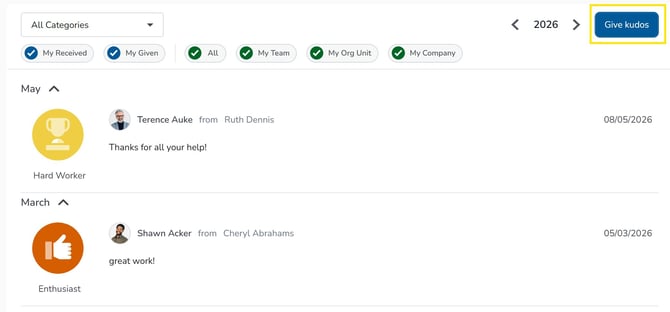
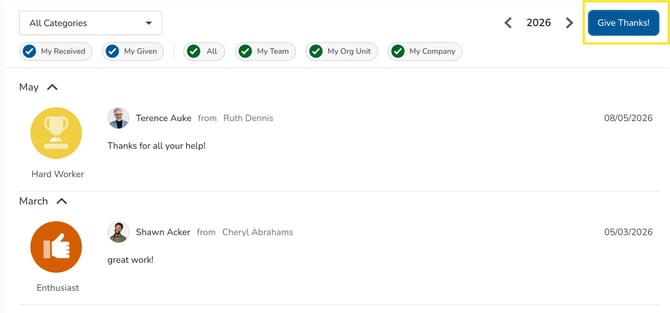
In Object Management You Can:
- Change the labels of supported fields and headings.
- Enable and repurpose available fields.
- Control whether certain fields are visible to users.
- Control whether users can edit specific fields.
- View an audit of changes made
What can you do with Object Management?
Find Configurable screens and fields
The Object Catalogue contains all screens that can be configured using Object Management. To get to it, navigate to: Administration >> Setup & Security >> Object Management.
You can browse the catalogue or use the search bar to find a screen you want to customise.
Customise labels and headings
Update field and heading labels to use terminology that is familiar to your organisation.
Repurpose available fields
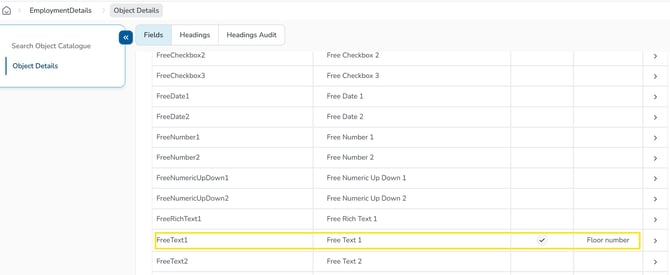
Some available fields can be enabled and relabelled for a different purpose.
For example, a free text field could be relabelled as Floor Number.
Control field visibility and editing permissions
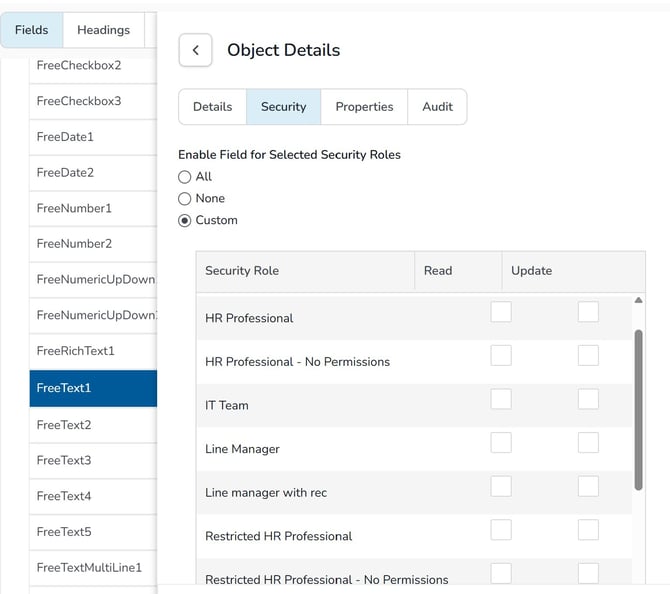
For certain labels, you can control whether users can view or edit information based on their security role.
For example, you may want some users to view a field without being able to edit it, or restrict visibility to specific groups within your organisation.
View audit history
Review previous changes made to configurable headings using the audit functionality.
This can help you understand what changes have been made and when.
📝 Note:
Not all labels in Cezanne can be modified or disabled