Cezanne Recruitment supports a growing range of languages for recruiters, hiring managers, and candidates. This guide explains the available language settings and how they affect each stage of the hiring process.
Settings overview (more detail further down)
- User language - changes the display of the recruitment app.
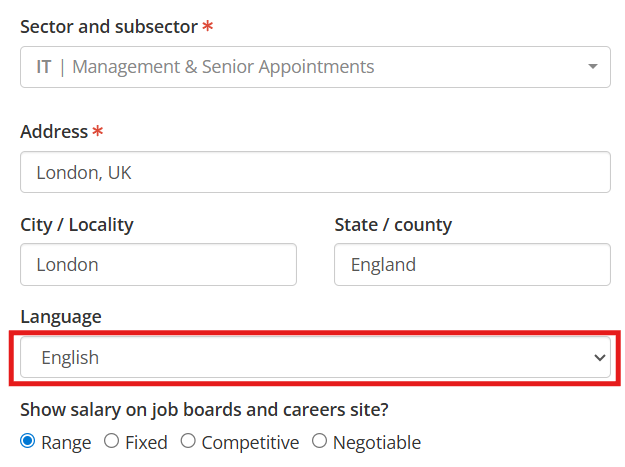
- Job language - determines the language used for email communications with candidates and hiring managers.
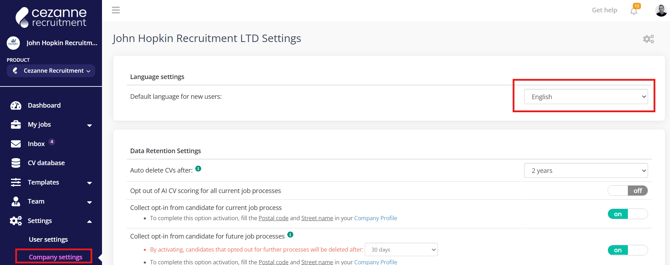
- Company language - changes the default language for new users.
Supported languages
- English
- Polish
- French
- German
Planned languages
- Danish
- Turkish
- Italian
- Portuguese
- Greek
- Romanian
Translation coverage
- Around 95% of the Recruitment app is currently translated.
- Work is ongoing to complete the remaining areas.
- Support for customising diversity surveys (to allow for multi-lingual versions) is planned as part of the 2026 roadmap.
- We do not currently plan to offer multi-lingual versions of the features listed below. We would advise to create language specific versions. For easier management, especially if you require a large number of different languages, we would advise to create a separate brand for each language as this will keep the interface cleaner and only show the relevant language version.
- User email templates.
- Smart questions.
- Forms and documents.
- Interview scorecards.
- Rejection reasons.
- Hiring flow labels
- Application pages, Hiring manager review and job listing pages will be translated based on the website visitor's browser language setting. If they are viewing with their browser set to an unsupported language, the page will be displayed in the Job language.
Recommended setup for multi-language use
- Create a separate brand for each language you plan to support.
- This allows you to manage content that is not automatically translated.
- By using separate brands, you can maintain this content in the appropriate language and keep your list of templates, rejection reasons etc specific to a single language.
User level language setting
- Settings>User settings.
- Allows each user to select their preferred language.
- The entire application will display in the selected language.
- New jobs will default to the user’s selected language.
- System-generated emails, such as password resets, are sent in this language.

Job language setting
- Set individually for each job.
- Determines the language used in system generated candidate and hiring manager email communications.
- Inherited automatically from User language settings for new jobs.
Company level language setting
- Settings>Company settings.
- Defines the default language for new users.
- Applies when Cezanne Recruitment is used as a standalone ATS (without Cezanne HR).
- When using Cezanne Recruitment alongside Cezanne HR, and new users are created via SSO, the user’s language is inherited from their Cezanne HR profile.
- If the selected language in Cezanne HR is not supported in the Recruitment app, the system will fall back to the default language setting configured for Recruitment.