
Before you start
- Your group must have the status Reviewing before you can submit it.
- If other review groups sit below yours in the hierarchy, your group may initially show as Pending while those reviews are completed.
Steps to Follow
Step 1: Open your review
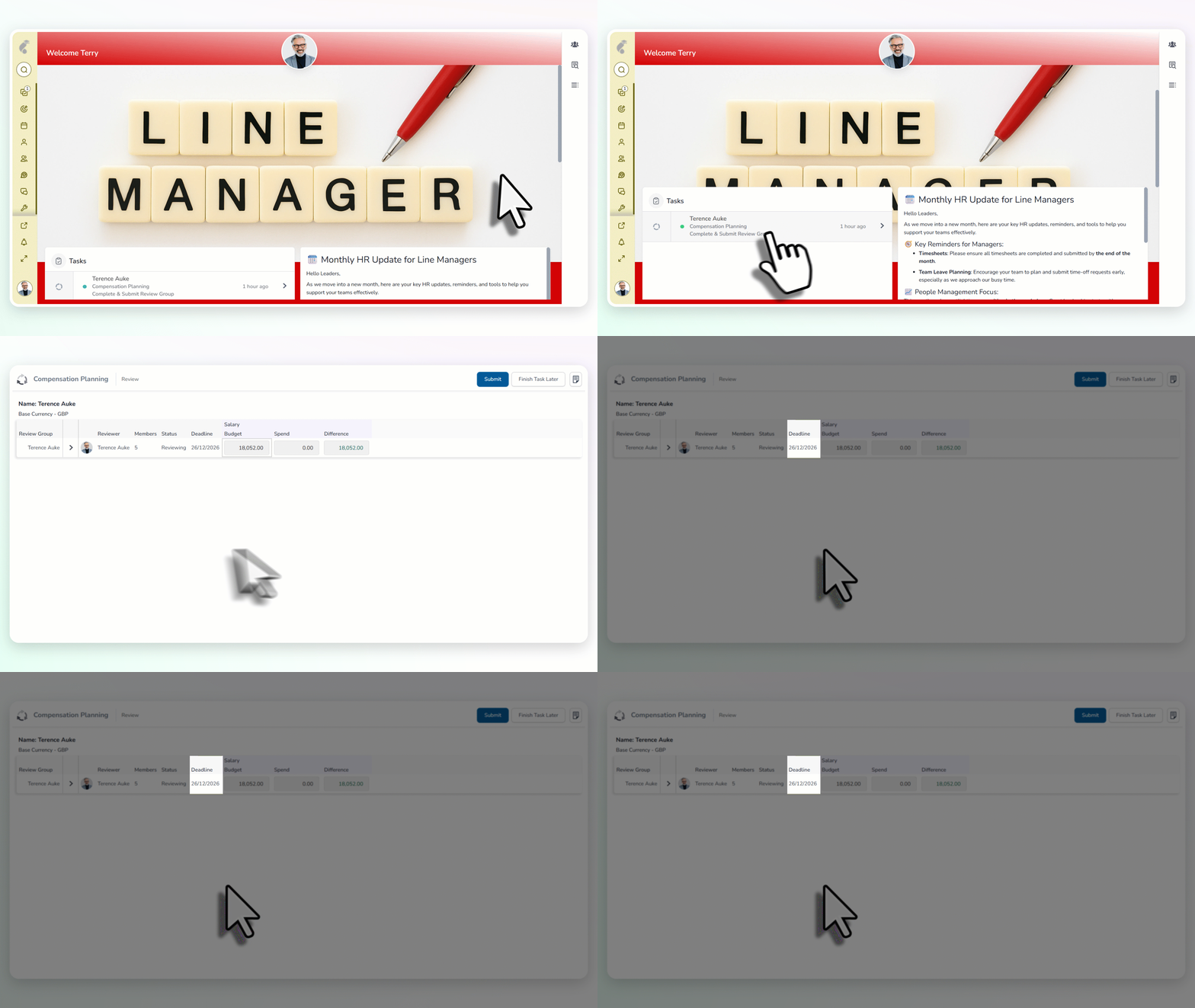
- Open the review group from your tasks section.
- Check the deadline for submitting your review
Note
You will also receive an email when the Compensation Planning process begins, with a link that takes you through to your review group.
Step 2: Review the information available
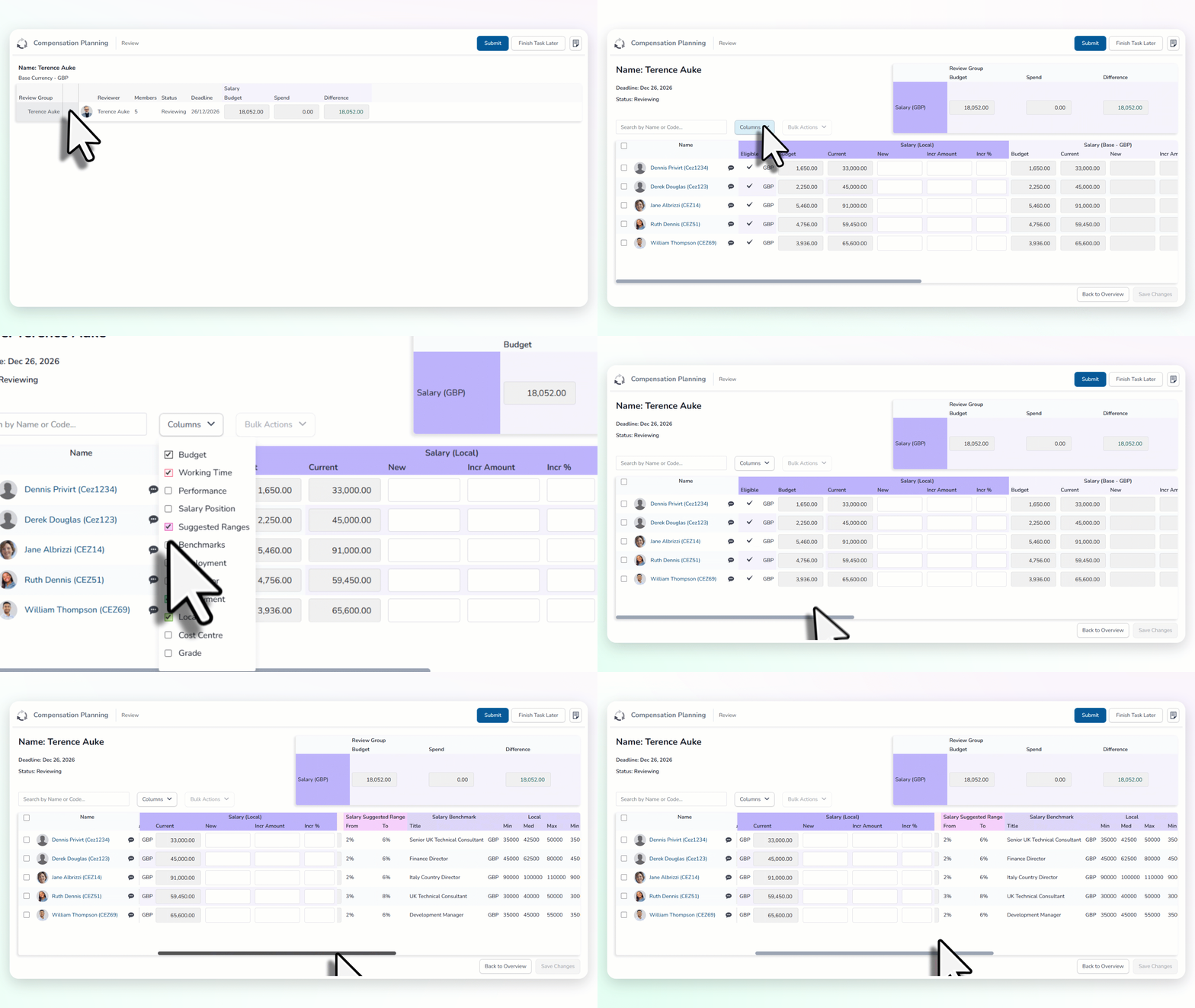
- Check that the correct employees are included in your group.
- Adjust the displayed columns where needed by selecting columns. Depending on how the plan has been configured, available information may include:
-
-
- suggested ranges
- salary benchmark information
- benchmark bands
-
Step 3: Enter compensation proposals
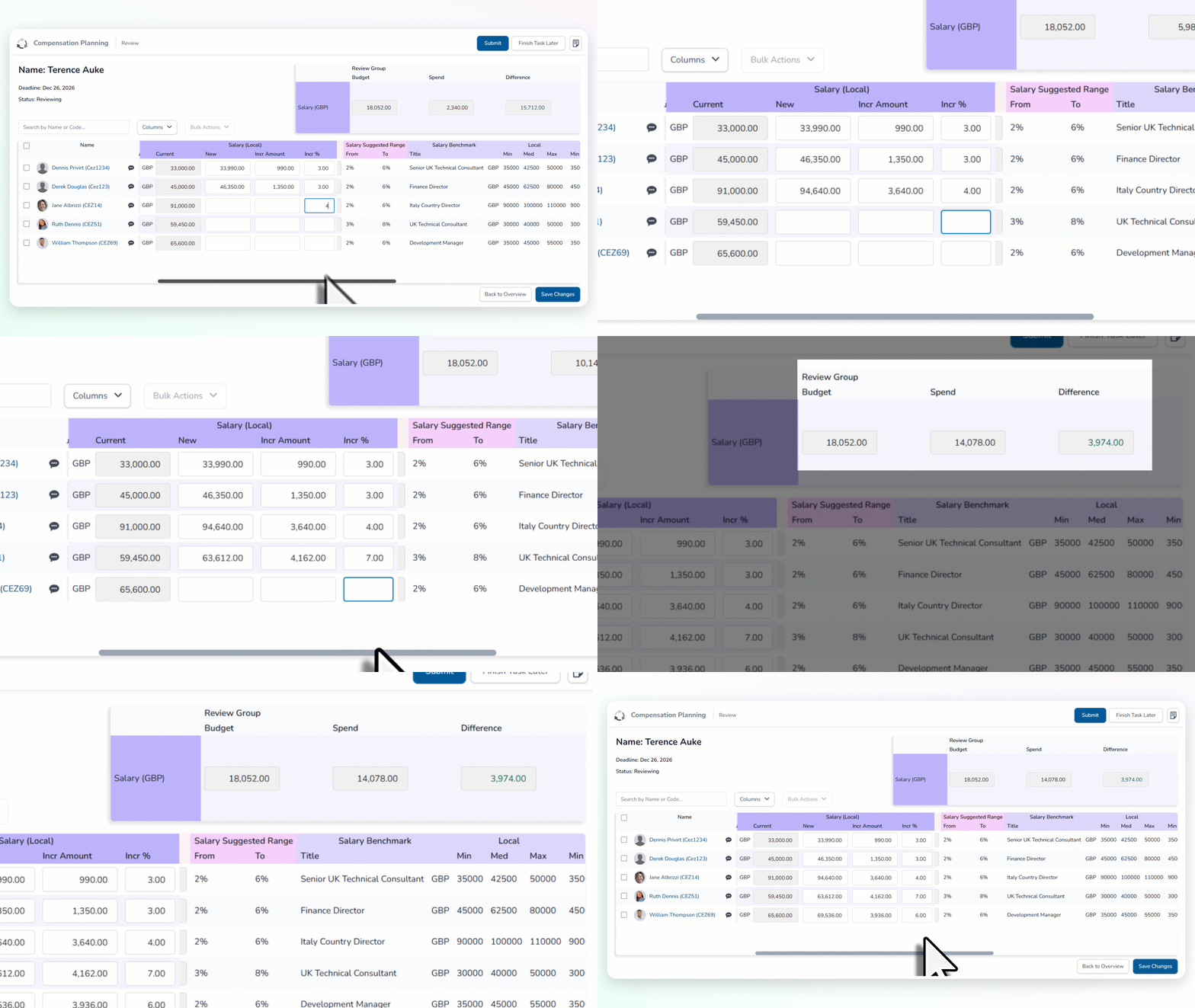
- Review each employee individually and enter the appropriate proposed award in the salary section.
- Where applicable, use the available guidance, such as suggested ranges or benchmark information, to support your decision.
- Check the effect of each proposal on the group budget.
Tip:
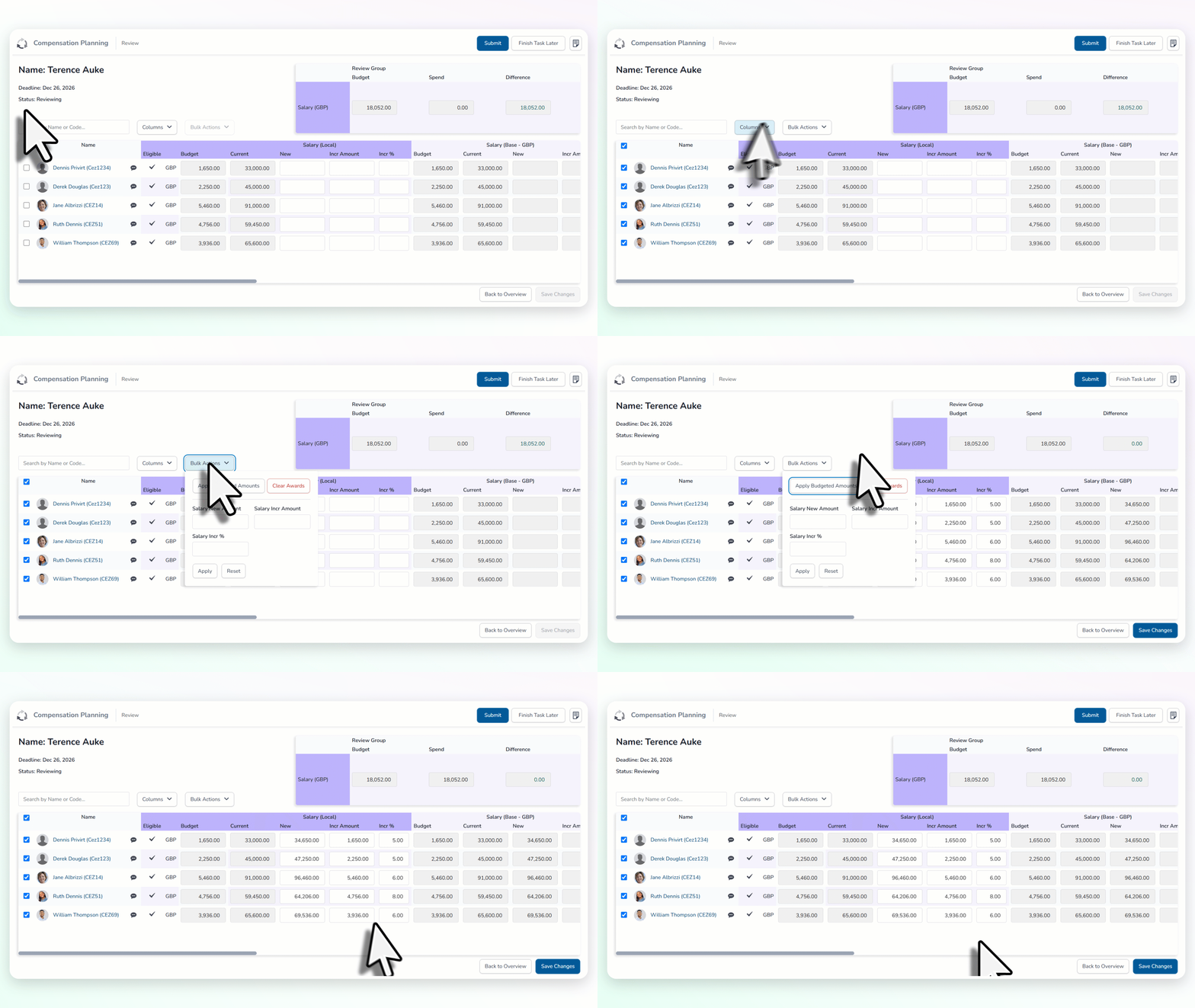
The bulk actions feature can provide a starting point when the same percentage increase should be applied to several employees, or when you want to see each employee's budgeted amount. Select the employees on the left-hand side, then select Bulk Actions. You can apply the budgeted amounts to the selected employees or enter the same salary increase for them all.
Step 4: Check other review groups (if applicable)
If you are a senior manager signing off on review groups below your own, review the award decisions that have already been submitted and make any changes where appropriate. You can also send this review back to the reviewer if needed.
Step 5: Check and submit your review
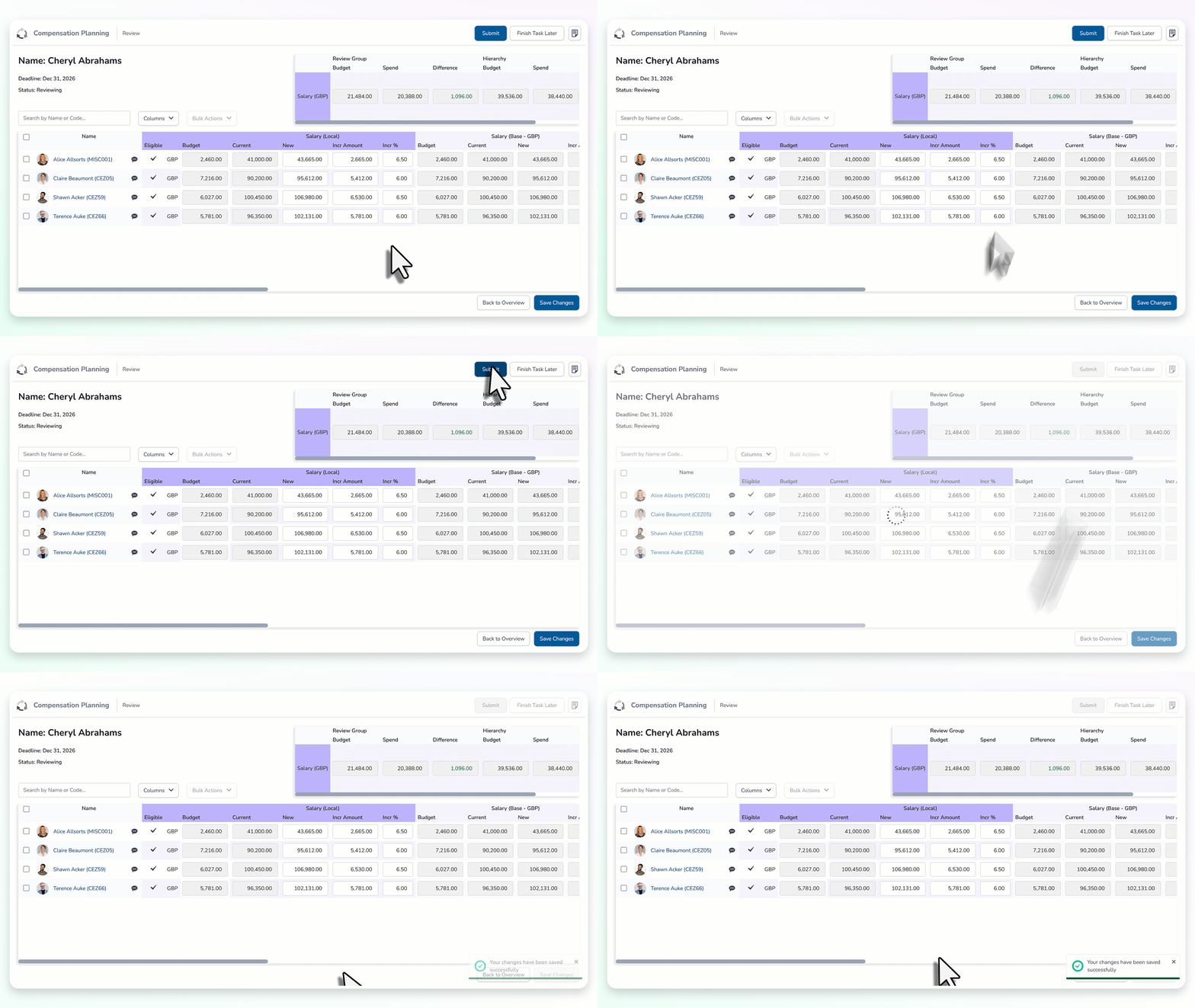
When you are satisfied, press submit to submit your review group. It will then go to the reviewer above you or, if you are the final reviewer, back to the plan administrator for sign-off.
What happens next?
Once you submit your review, it will move to the next reviewer in the hierarchy, where applicable. The reviewer at the top of the hierarchy completes the final review of the submitted groups. Once the final review has been submitted, the plan administrator can sign off the plan and apply the compensation changes.