.png?width=271&height=81&name=Knowledge%20base%20small%20(4).png)
📝 Note
Helpdesk is only available to clients who have purchased Cezanne’s
people plus package.
What is Helpdesk?
Helpdesk provides employees with a dedicated space to ask questions and get support.
It combines an AI-powered knowledge search with case management, helping employees find answers quickly while giving HR and other response teams a structured way to manage queries. By using documents stored in Workspaces to generate responses, it can also escalate conversations to the appropriate team when further assistance is required.
What you can do in Helpdesk
- Ask questions and receive AI-generated answers based on company documents.
- Escalate queries to a Helpdesk response team when additional support is needed.
- Organise employee enquiries using categories.
- Route conversations to the appropriate teams for review and resolution.
- Monitor, manage, reassign and resolve conversations.
- Review Helpdesk reporting to understand query volumes, response times and case outcomes.
Key sections
Documents and Workspaces
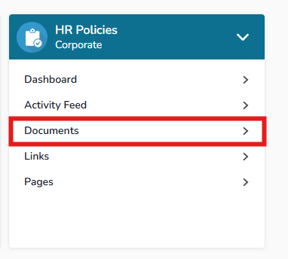
Manage the documents Helpdesk uses to answer employee questions via workspaces.
💡Tip
Have a look at Workspace documents to learn more.
Categories and Response Teams
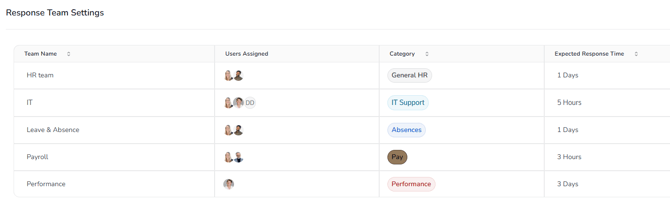
Create categories for employee enquiries and assign them to the teams responsible for responding.
Employee Conversations
Allow employees ask questions, receive AI-generated responses and escalate queries when further support is needed.
Conversation Management
Allows response teams to view, assign, reassign and resolve Helpdesk conversations.
Reporting
Monitor Helpdesk activity, response times and case trends using built-in reporting.
💡Tip
Need a deep dive into how to set Helpdesk up? Access our full training
course on Cezanne Academy. If you don't already have an Academy account,
contact your CSM or support.