.png?width=271&height=81&name=Knowledge%20base%20small%20(4).png)
Steps to follow:
- Navigate to Administration then Security Roles
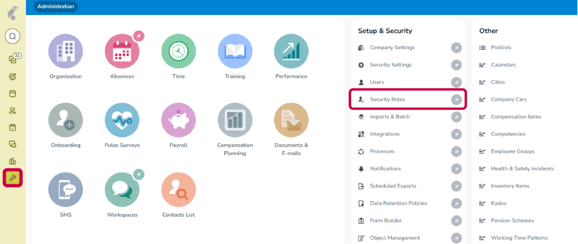
- Select any relevant Line Manager Security Role
- Click on the Navigation tab and go to the Permissions screen
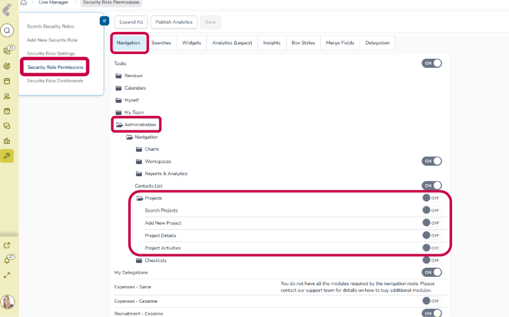
- Enable all relevant options that the Line manager security role must complete

Line Managers should now be able to configure projects.