.png?width=271&height=81&name=Knowledge%20base%20small%20(4).png)
About Reduced Rates of Pay
Employees receiving reduced rates of pay may need to be excluded from certain Gender Pay Gap calculations.
Examples include employees on:
- Long-term sickness absence
- Maternity leave
- Paternity leave
- Adoption leave
- Shared parental leave
There are two common ways to identify these employees:
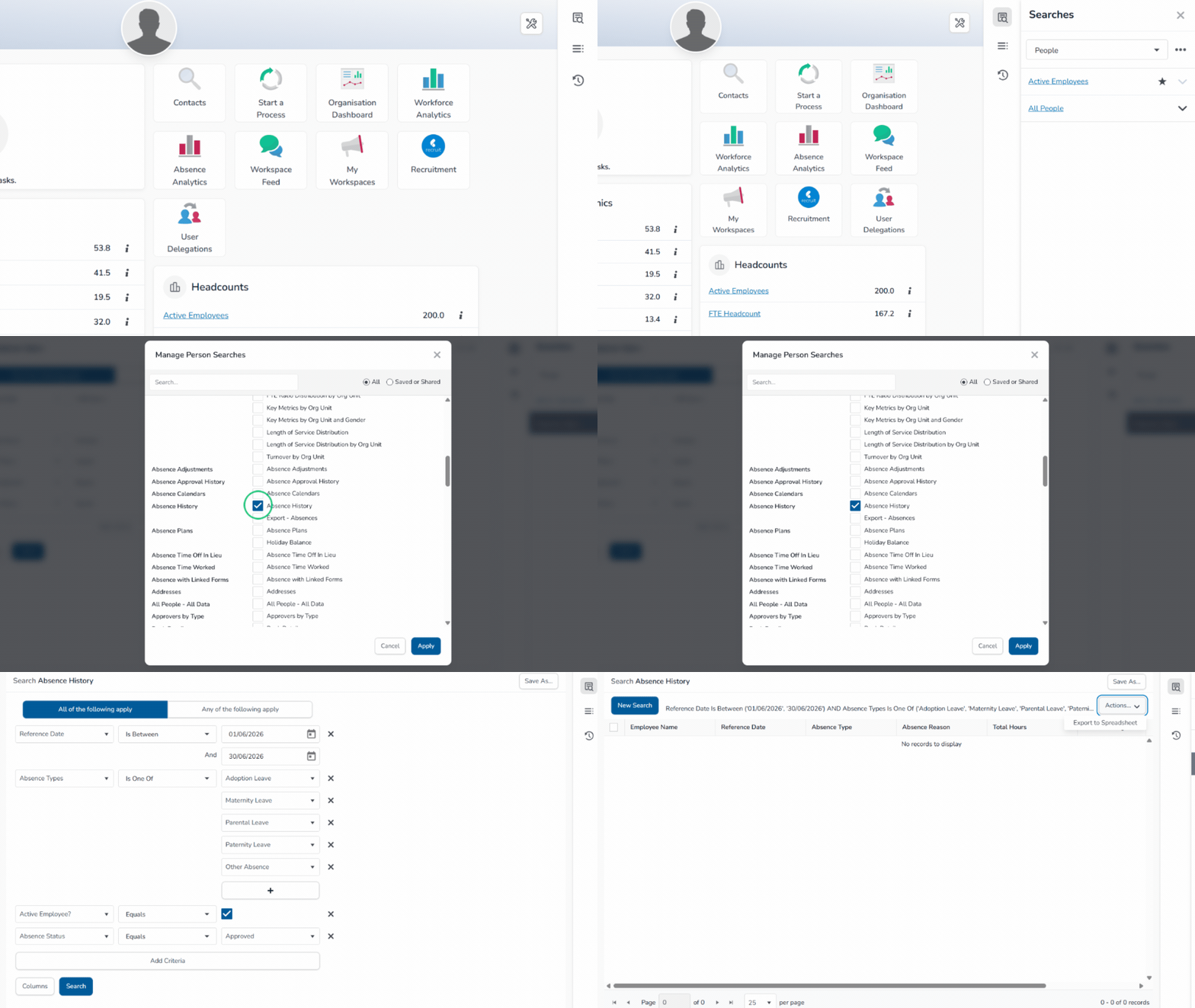
Using the Absence History Search
If your organisation uses Absence History records to track employees on leave, you can use the Absence History Search.
How to configure the employment status search:
- Navigate to the Searches tab in the right-hand menu
- Select the 3 dots
- Open the search configuration menu
- Add the Absence History field if it is not already displayed
- Configure your search criteria to return employees with the relevant employment statuses
- Select Search
- Export the results by selecting Actions then Export to Spreadsheet
📝 Note
Reporting is only effective if employee statuses are maintained consistently.
Using the All Absences Search
If absence records are used to identify employees on leave, you can use the All Absences Search.
How to configure the all absences search:
- Navigate to Administration then Absences
- Click on the Absences tab and then select Advanced Search
- Choose the relevant absence plans (for example Maternity Leave or Long-Term Sickness)
- Set the date criteria to match your reporting snapshot date
- Run the search
- Export the results selecting Actions then Export to Spreadsheet
💡Tip
For more information on Gender Pay Gap data, have a look at the following article: