.png?width=271&height=81&name=Knowledge%20base%20small%20(4).png)
Take Note ✍️
-
This article is specifically for clients who use Cezanne for Payroll
-
These steps apply for both managed services and in-house payroll teams
Step 1: Navigate to the employees record
Ensure the employee record for the new starter has been created. If it has been created, you should be able to find the new starter by searching for them.
If you need more information on how to add a new starter to the system click here
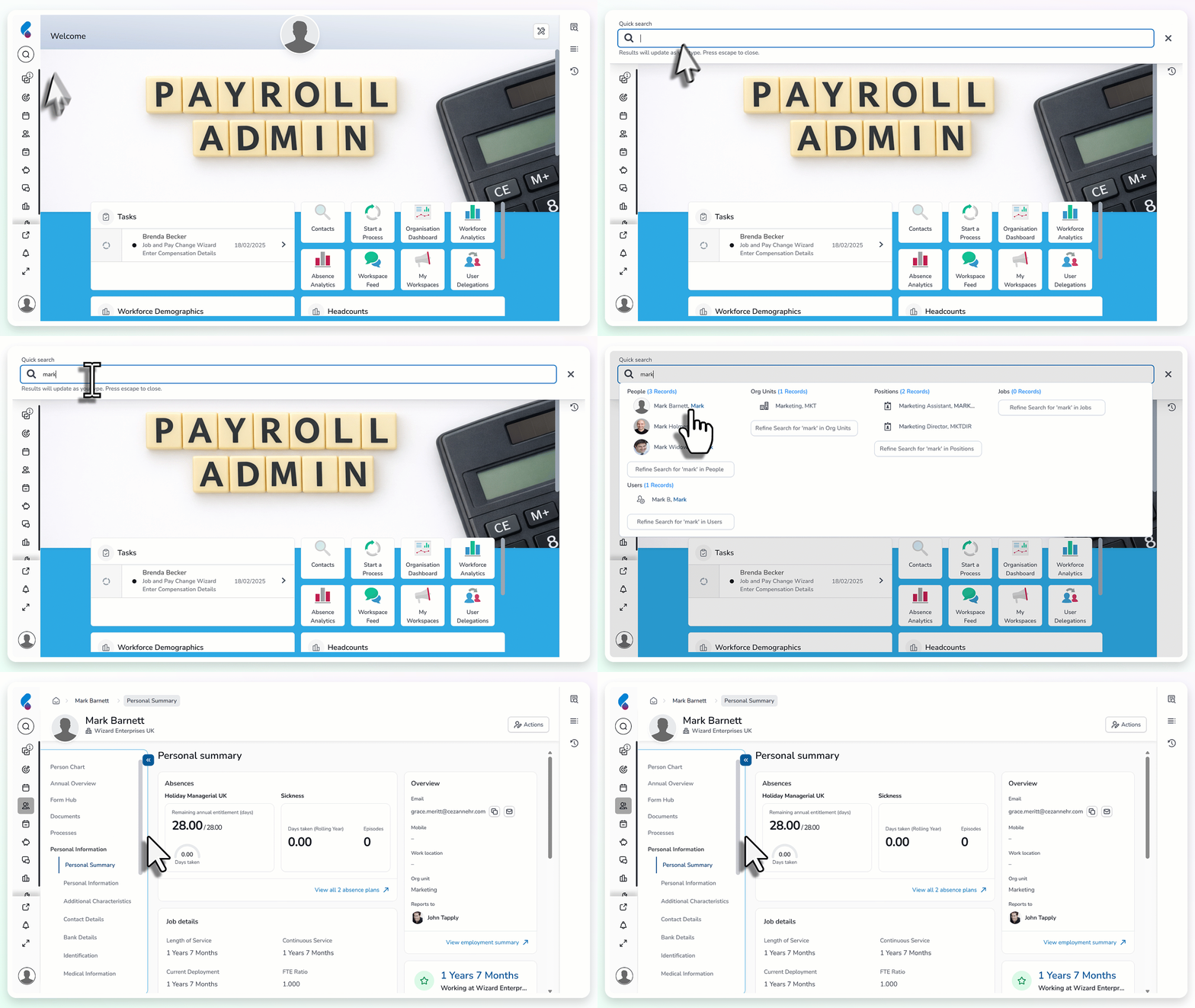
Step 2: Upload the new starter documentation
Upload one of the following documents to the employee's payroll documents folder:
- P45
- HMRC New Starter Checklist
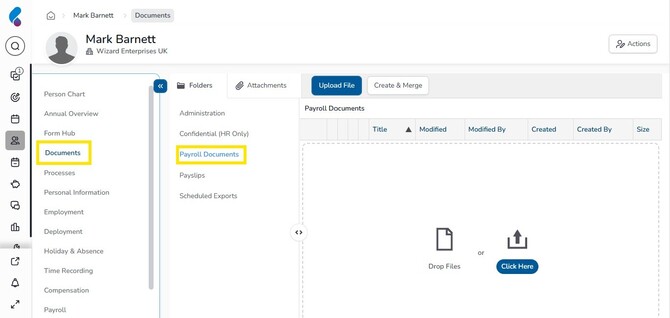
Step 3: Complete the personal information section
Within the personal information screens, check you have the following information:
- Their first name and surname, located in the personal information screen
- At least two lines of their address, located in the contact details screen
- Their internal and external email addresses, if they will receive payslips by email, located in the contact details screen
- Their bank details, located in the Bank Details screen
- Their national insurance number, located in the identification screen
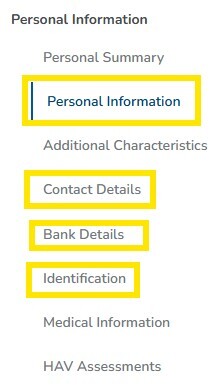
Step 4: Complete the employment details
Within the employee's employment details:
- Ensure the ‘Use for Payroll’ box is checked, located in the employment details screen.
- Ensure the employee’s working and scheduled time is entered, located in the Working & Scheduled time screen
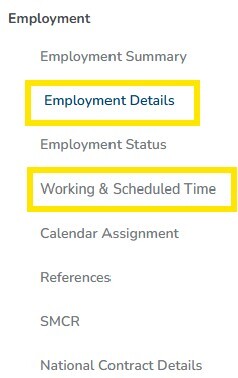
Step 5: Assign a cost centre (optional)
If your organisation uses cost centres:
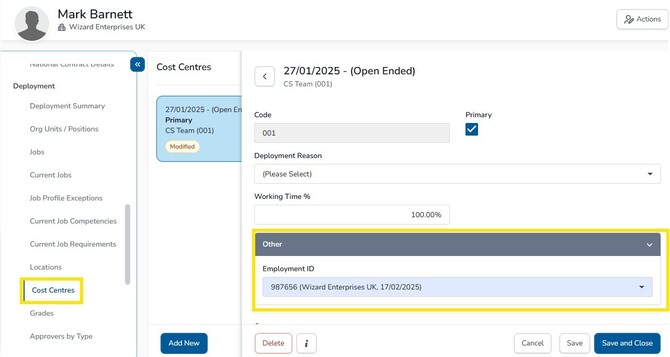
- Assign the correct cost centre to the employee, located within the deployment section in the cost centres screen.
- Connect the employee’s employment ID to the cost centre record.
Step 6: Complete the payroll information
In the payroll section, add:
- The employee's regular pay
- Any applicable additions and deductions
- Any pension settings that require manual action, such as a manual opt-in
- If the new starter needs to be excluded from the pay run initially, select the relevant checkbox in Payroll Options.
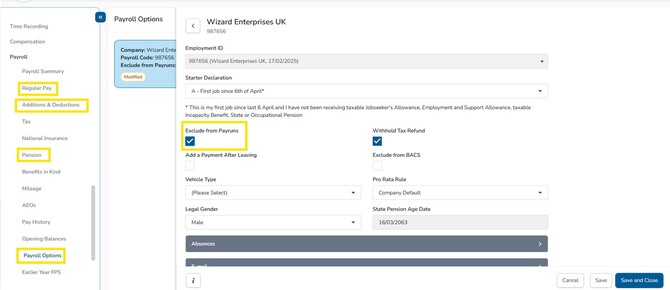
If you do check the 'exclude from payruns' box for the inital payrun, ensure this is unchecked before the next payrun starts.