.png?width=271&height=81&name=Knowledge%20base%20small%20(4).png)
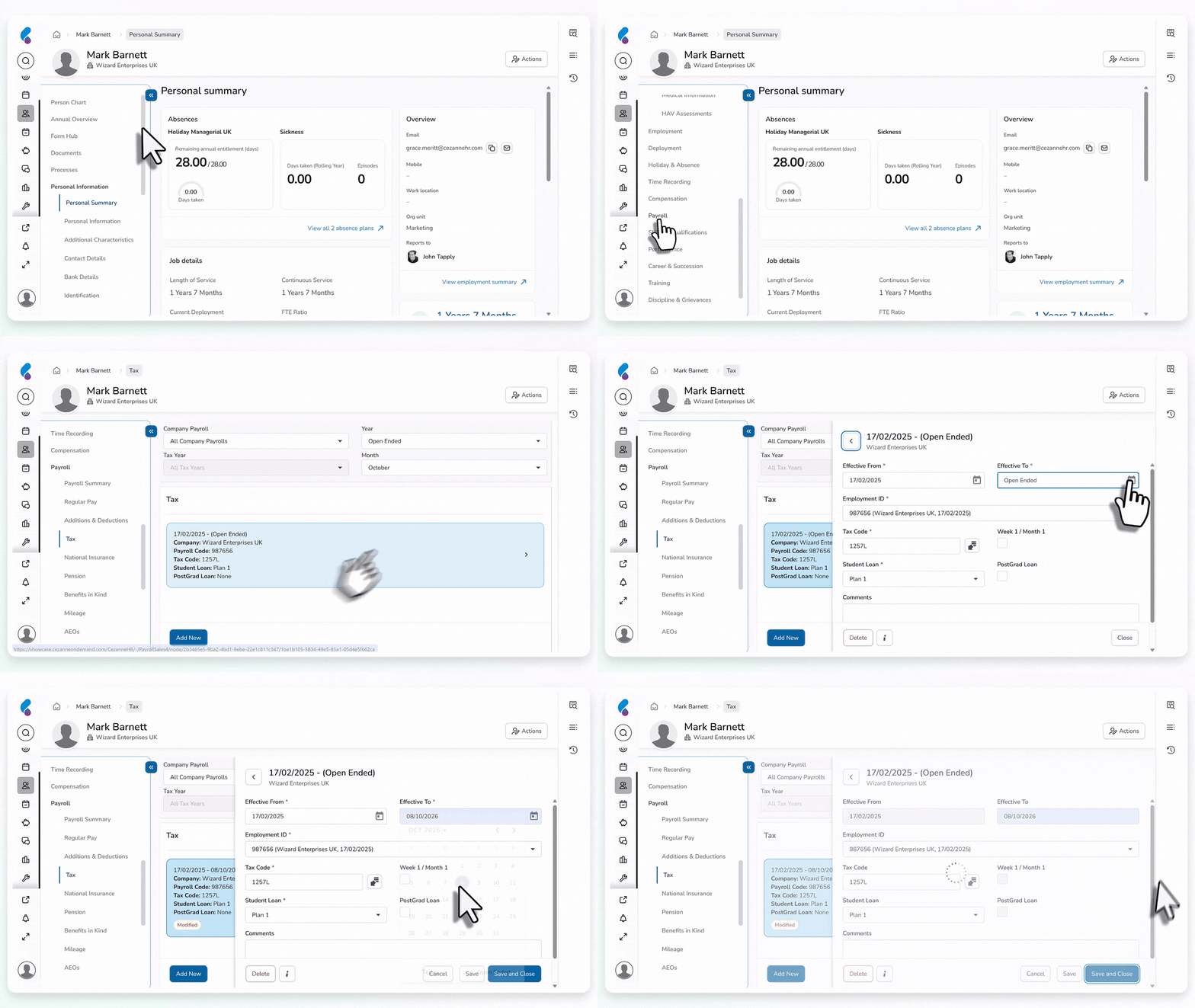
Step 1: End the existing tax code record
- Go into the employees person record, then click into the payroll section and the tax screen.
- Open the employee’s current tax code record.
- Enter an 'Effective To' date based on the HMRC notification.
- Select Save and Close.
Step 2: Add a new tax code record
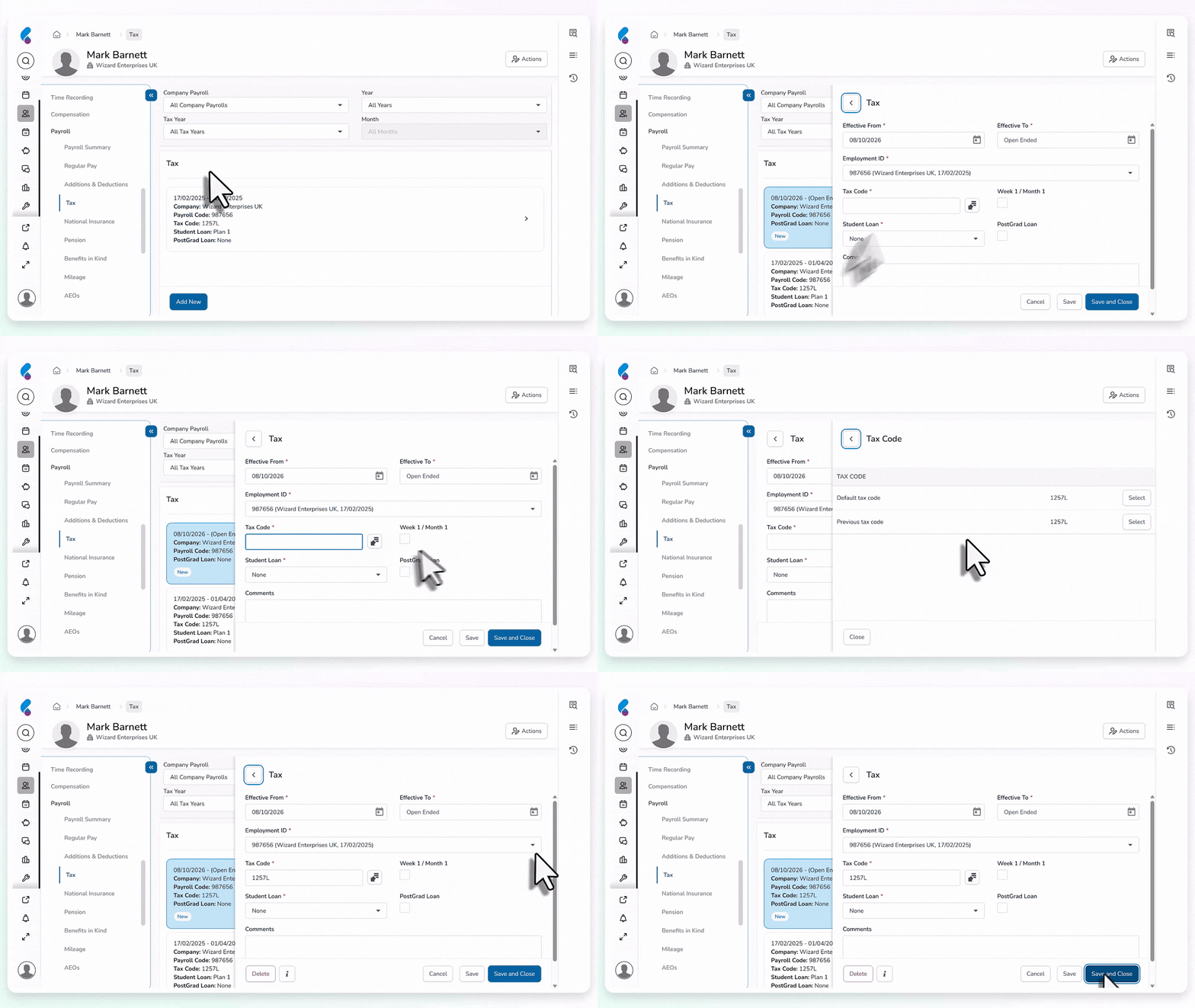
- Add a new tax code record from the next effective date.
- Use the tax code without the student loan deduction.
- Leave the Effective To date as Open Ended.
- Select Save and Close.
What happens next?
The previous tax code record is ended and the new open-ended record applies without student loan deductions.
Note 📝
If an employee has overpaid student loan deductions, do not refund the overpayment through payroll. The employee must contact HMRC to request repayment.