Items within Cezanne Learning
Learn what Items are, the different Item types available and when to use each one.
What are items?
Items are individual pieces of learning content within Cezanne Learning, such as videos, documents, e-learning modules or interactive content. They can be used as standalone learning resources or added to Learnlists and Channels to create a structured learning experience. Cezanne Learning provides different Item types depending on the content you want to create or share.
Adding in a new Item:
From the top of the screen, select Add New, then choose the type of Item you want to create.
Use the guidance below to help you choose the appropriate Item type.
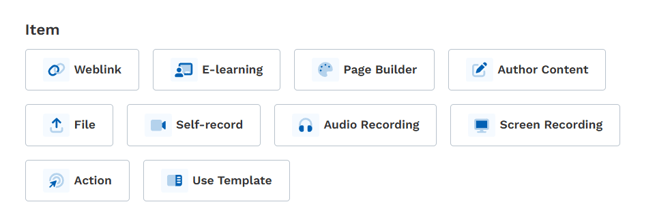
Item types and their uses
Weblink
Purpose: Share links to external websites or resources.
How it works: Paste the desired URL. Learners see a "Take me there" button.
Best for: Blog posts, YouTube videos, external learning platforms and reference materials.
E-learning
Purpose: Host SCORM, xAPI, AICC or CMI5 packages for interactive learning.
How it works: Upload a ZIP file. The content runs directly in Cezanne Learning and tracks progress.
Best for: Compliance training, onboarding modules and certification courses.
Page Builder
Purpose: Create rich, custom pages using text, embedded content and formatting.
How it works: Use the Simple or Advanced editor to build your page.
Best for: Company announcements, checklists, visual guides and training materials with mixed media.
Author Content
Purpose: Build rich, interactive learning material using a block-based editor, directly in Cezanne Learning.
How it works: Use a slash command menu to insert blocks, including headings, lists, images, video, audio, tables, callouts, accordions, tabs and more. There is no separate description field, so the content you build in the editor is the item itself.
Best for: Structured, media-rich learning material authored natively in Cezanne Learning without an external tool.
File
Purpose: Share downloadable documents.
Supported formats: Word, PDF, PowerPoint, images, videos (.mov) and more.
Best for: Policies, handbooks, presentations and offline resources.
Action
Purpose: Track offline or real-world activities.
How it works: Learners mark completion after performing the activity.
Best for: Attending events, delivering presentations, meeting with mentors and participating in workshops.
Self-record
Purpose: Allow learners to record video directly within the platform.
How it works: Uses the device webcam to capture video.
Best for: Self-introductions, role-play demonstrations and reflective learning videos.
Audio Recording
Purpose: Capture audio clips directly from the learner's device.
How it works: Uses the device microphone.
Best for: Verbal reflections, audio summaries and language practice submissions.
Screen Recording
Purpose: Record screen activity with optional voice narration.
How it works: Captures the screen and optionally the microphone.
Best for: Software demonstrations, walkthrough tutorials and performance recordings.
Use Template
Purpose: Create content quickly using predefined templates.
How it works: Select from pre-built layouts for consistent formatting.
Best for: Standardised learning items, company-wide training formats and rapid content creation.