.png?width=271&height=81&name=Knowledge%20base%20small%20(4).png)
-
Open the job you want to move the candidate(s) from.
-
Select the candidate you want to move
-
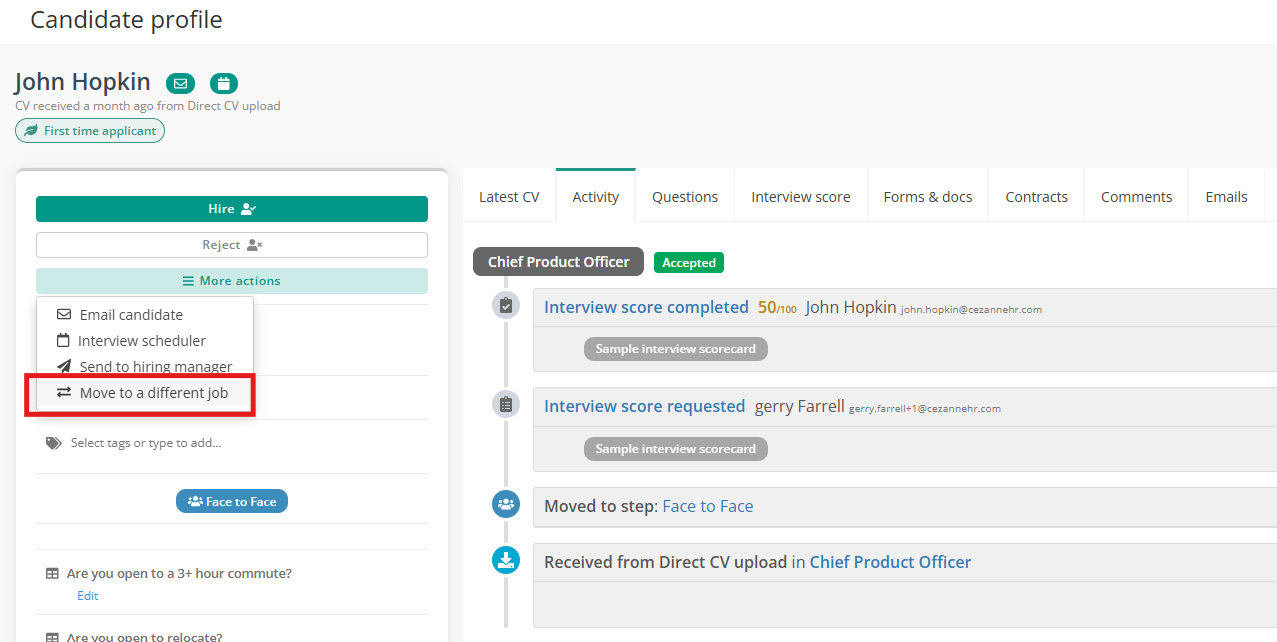
On the candidate’s profile, click on More Actions > click Move to a different job
-
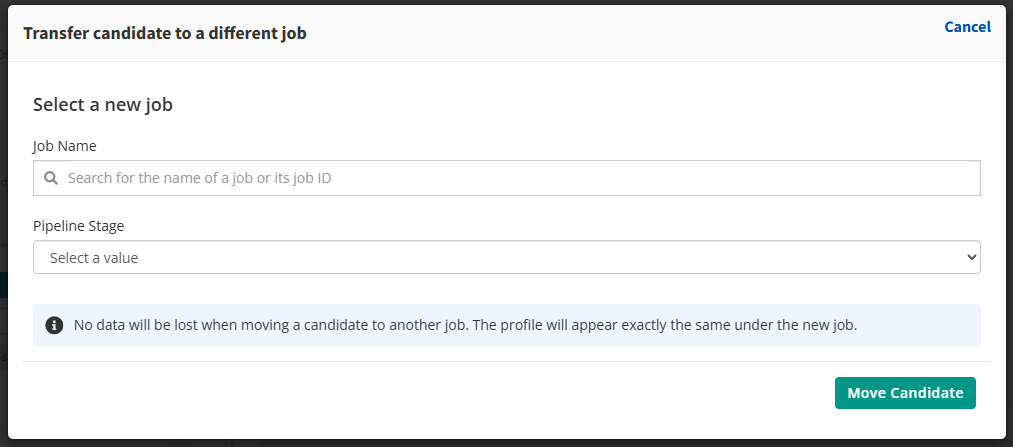
A drop-down will appear with a list of your Live jobs.
-
Select the job you want to move the candidate to.
-
You can also select the hiring stage you wish to have the candidate placed.

-
Click on the Green Move Candidate button.
You can also use this feature to move candidates in bulk from your list of Candidates on a Job. Select the candidates you want to move, click Bulk actions>Move to a different job.
Please note that you can only move candidates to a different role if the candidate has opted in for future job processes. This can be found under your Settings -> Company Settings, if applicable.


*You can not move a candidate to a job that you are not the owner of or assigned to. To become assigned to a job you need to request the job owner to add you to the hiring team on that job.