
Setting up Proxy Access
Firstly, ensure that you are logged in as an Administrator.
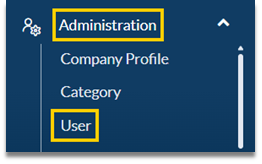
- Click Administration in the main menu and then User
- Click on the name of the user whose account will be accessed by another user
- Now select the Proxy tab
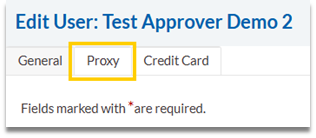
- Click Add and select the Company that the user belongs to, who the Proxy User is and what level of access they will require and click Save

Using Proxy Access
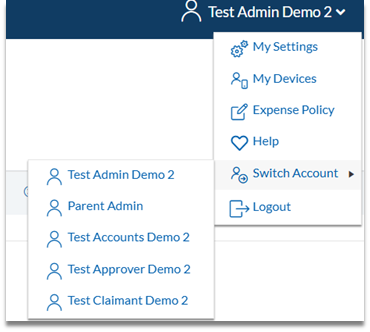
Once proxy access has been configured, the next time the user who was granted access logs into Cezanne Expenses, they will be able to use proxy access by selecting Switch Account from their user details menu:
When accessing another account via proxy access, a note will appear along the top of the screen as below:
