Compensation Type
Compensation Type determines how an employee's compensation details are entered and / or calculated within the system.
Note:
- This article only explains the different Compensation Types. For more information about how to add Compensation records for employees, see: Compensation.
This article gives an overview of the four available Compensation Types in Cezanne and contains the following sections:
1. Standard
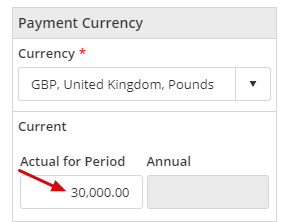
Compensation records are entered as actual amounts.
E.g. A base salary compensation record - £30,000 per year.
2. Percentage Only
Compensation is recorded as a percentage value only rather than an actual amount.
E.g. A compensation record that records the level of sales commission.

3. Percentage of another Compensation Record
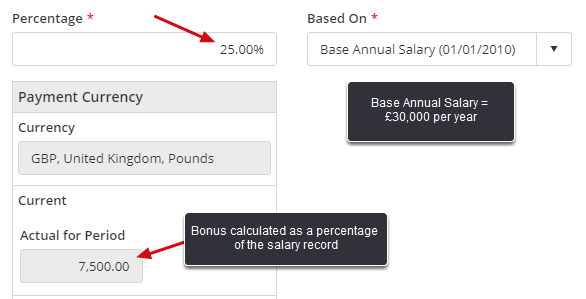
Compensation is recorded as a percentage based on the actual amount of another compensation record.
E.g. A bonus that is calculated as a percentage of an employee's base salary.

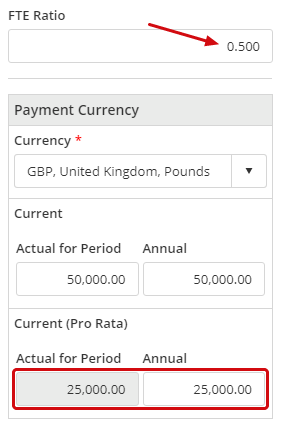
4. Pro Rata using FTE Ratio
Compensation is calculated using the FTE Ratio entered on the Working and Scheduled Time record.
E.g. A compensation record which is adjusted pro rata for part-time workers.

Note:
- If you change an employee's FTE Ratio on the Working & Scheduled Time screen, the FTE Ratio field on the Compensation Details record won't be overwritten, even if the field is blank.
- To recalculate compensation records after a FTE Ratio change on the Working & Scheduled Time screen, clear the FTE Ratio field on the Compensation Details screen and save the record.